A koi pond
that lives on
your desktop.
macOS 14 or later · Universal: Apple Silicon & Intel · Windows coming soon
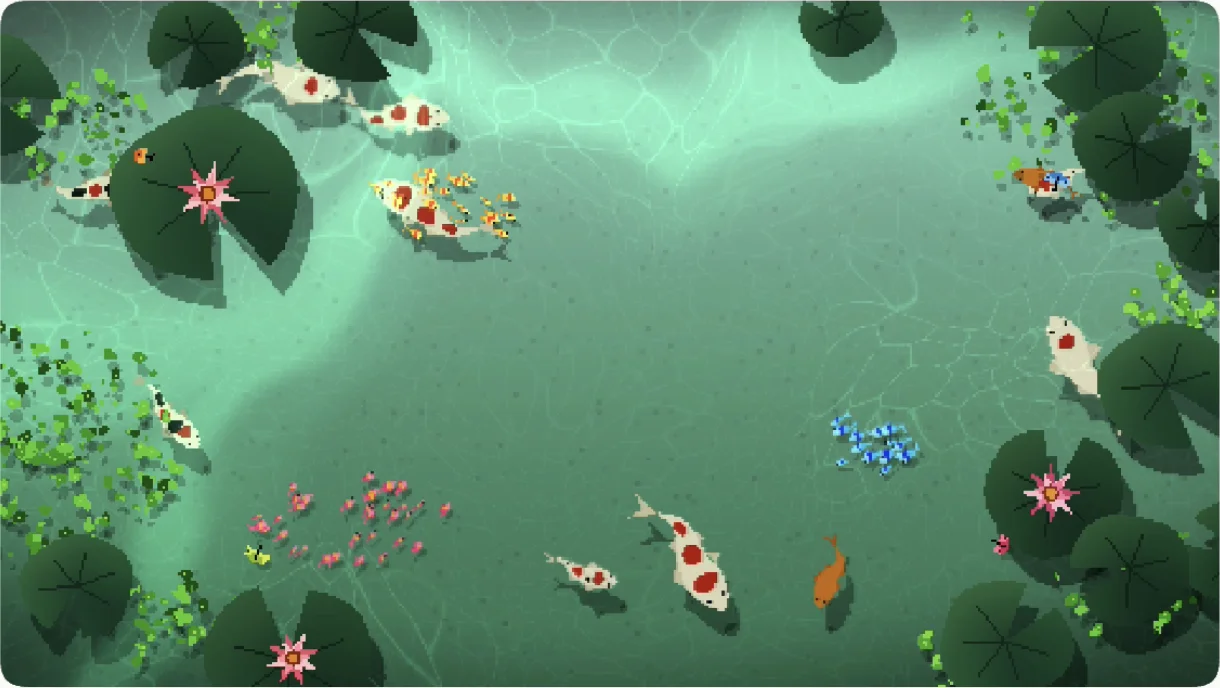





Four ponds to choose from.
Each one follows your clock from dawn to night.
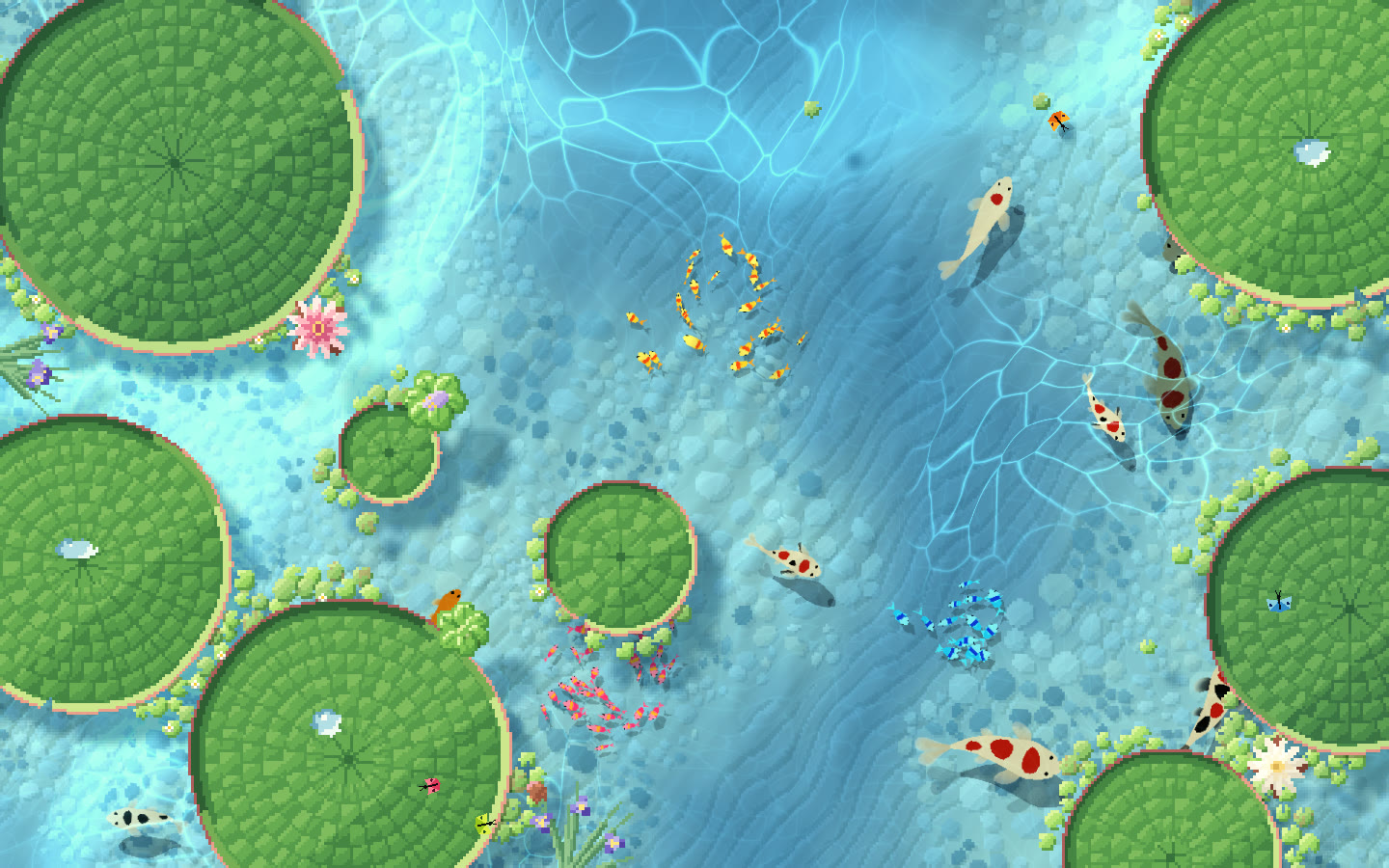
LagoonGiant water lilies in a clear blue lagoon.
One pond across your displays.
A laptop and a big display share one pond, each showing its own part of it. The koi swim from one to the other.
Food calls them over.
Drop food on one screen and koi come across from the other.
Same koi, same size.
A bigger display shows more of the pond, not bigger fish.
Off until you want it.
Settings → Displays → One pond.
Every koi has a life of its own.
Small habits that make the pond feel alive.
Each one has a favourite
Tiny fish to herd, duckweed to graze, lotus shade, the frog, the ball or the goose.
They learn your routine
They notice where and when you feed them, and around that time they'll be waiting.
A good-morning greeting
The first time you see the pond each day, they gather at your spot to say hello.
What's in the pond.
Made to sit quietly on your desktop.
They come when you click
Click the water and the koi swim over. ⌥‑click drops food.
Dawn to night, on your clock
Five times of day that follow the clock, with fireflies after dark.
Lives in the menu bar
Theme, mood, visitors and pause, one click away.
Steps aside while you work
Pauses when windows cover it, and can rest on battery.
A screensaver too
Start it from the menu bar and the pond fills the screen.
Every display
A pond on each screen, or one pond across them all.
One small price.
Pay once and keep it. Your license key works on Mac now, and on Windows when it lands.
Everything in Nagomi
- 1 Mac at a time, move it any time
- One pond across all your displays
- 4 scenes that follow your clock
- Doubles as a screensaver
- About 4% CPU on an M1 MacBook Air
- Free updates, installed for you
- The Windows version when it lands
macOS 14 or later · Universal: Apple Silicon & Intel
Nagomi for Windows
Want to be a beta tester?
Email me at nagomisupport@m4yank.com
Join the waitlist
Already bought it? Download.
Download for MacFAQ
Before you ask.
the goose lives here now
Changelog
- Coming soon
Windows is on the way.
- 1.1.1
- NewChoose the pond's Resolution right from the menu bar.
- ImprovedPlants in Lotus Grove, Maple and Lagoon are now as sharp as the water and koi at higher Resolution.
- FixedQuitting no longer shows a crash message.
- 1.1.0
- NewThree new scenes: Lotus Grove, Maple and Lagoon, each following your theme from dawn to night.
- NewOne pond across your displays: each shows its own part, and the koi swim from one to the other.
- NewWind waves: gusts ripple the pond and bend the pond bed below.
- NewShuffle the plants for a new layout, and choose how much they cover.
- NewKoi have soft, see-through veil fins.
- NewCloud shadows drift over the pond on sunny days.
- ImprovedA shorter menu bar menu. Less used options moved to Settings.
- ImprovedThe Koi Pond scene is now called Classic, and koi are calm by default.
- 1.0.7
- NewRuns natively on Intel Macs too, as well as Apple Silicon.
- 1.0.6
- NewAmbient sound: a calm pond ambience, with rain on top while it rains.
- NewA new pause mode, Never: the pond keeps playing under any window.
- NewThe bundle works on 3 Macs at a time.
- FixedRender upscaling now applies to the goose, the ball and the frog too.
- 1.0.5
- NewA pause mode that plays the pond only when you click the desktop.
- NewRender upscaling, for smooth edges instead of blocky ones.
- NewChoose which displays show the pond.
- ImprovedWater ripples use less GPU.
- ImprovedA smoother pond while you switch between apps.
- FixedThe screensaver no longer starts during videos, calls or presentations.
- 1.0.4
- ImprovedSign in with your purchase email.
- FixedNo stutter during Mission Control, Stage Manager or desktop switches.
- FixedBrief desktop flickers no longer wake a paused pond.
- 1.0.3
- ImprovedThe pond plays as soon as the desktop shows.
- ImprovedNew Settings icons.